Headless creator reports
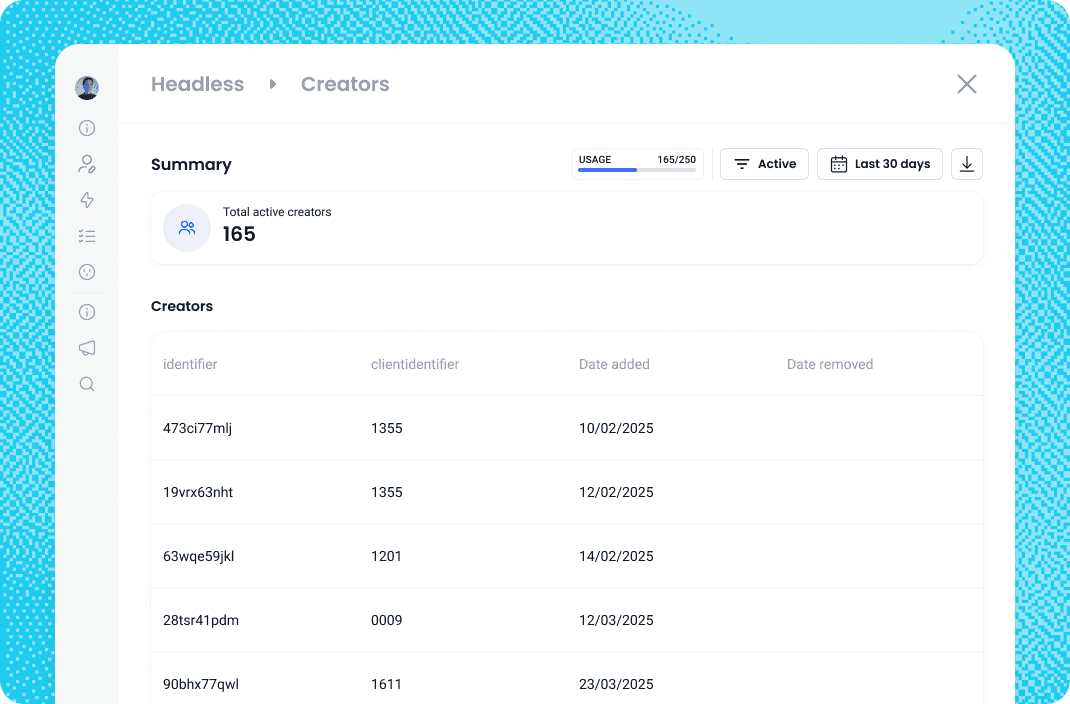
You can now access detailed reports showing your active creators, including when they were added or removed.
These reports are especially important because they give you a clear view of the number of active creators you’re paying for. For partners who have pre-purchased creator seats, you will now be able to readily see how close you are to your cap. With these new reports, you’ll always have a simple, accurate snapshot of your usage.
How do I access the report?
You’ll be able to access the report if you are an Admin.
Go to Settings → Add-ons → Headless and select View headless creators. There you’ll see:
Total number of active creators (displayed at the top)
Creator identifier, client identifier, and date added
Removal dates (if applicable)
If your partnership is set up with prepaid billing, you will be able to see your usage against the number of creators you have pre-purchased.